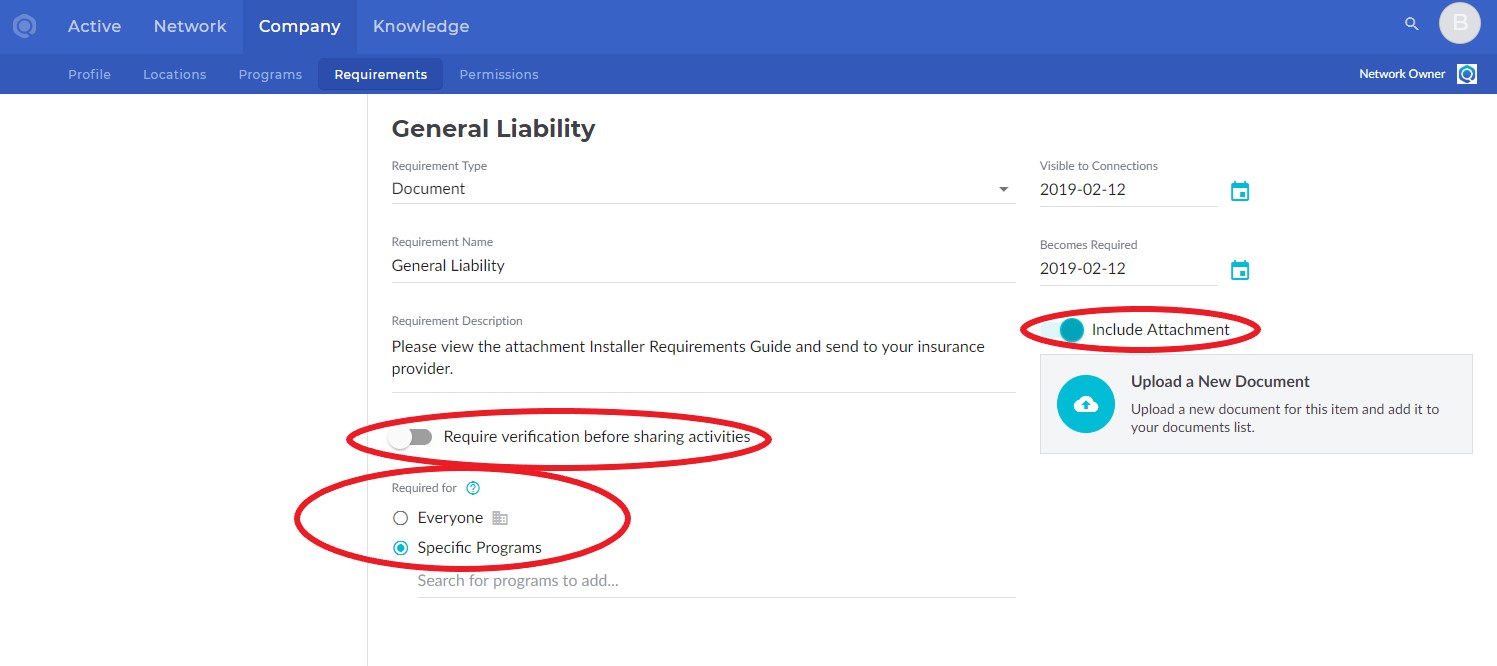
Navigate to the Company tab and Requirements sub-tab.
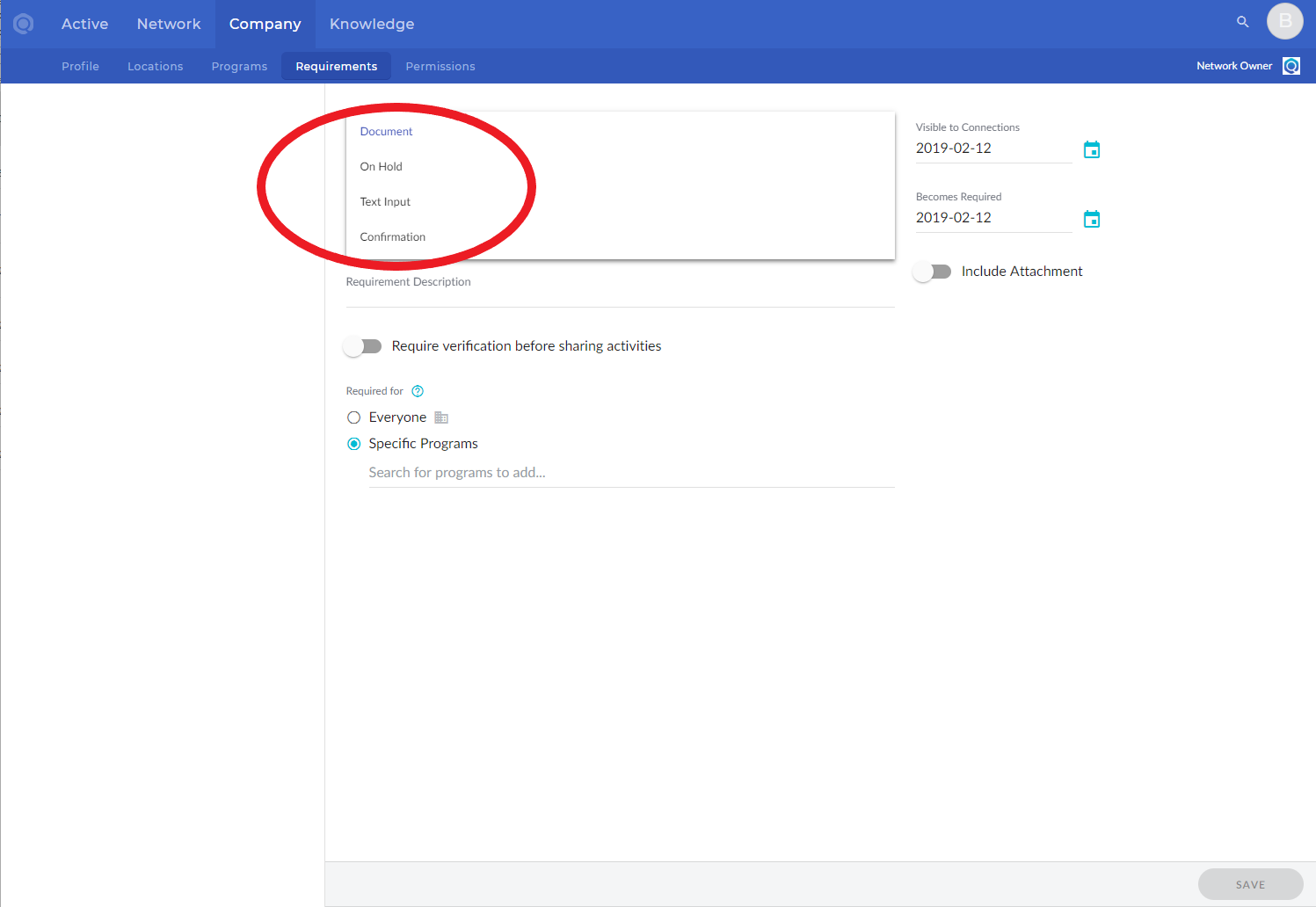
Select Requirement type
- Document - Service Provider uploads document, Network Owner has verification option
- On Hold - Network Owner inputs text and completes
- Text Input - Service Provider inputs text, Network Owner has verification option
- Confirmation - Service Provider accepts the Requirement (e-signature)
Fill in Requirement Name and Description.
Visible to Connections - you can set this at a future date for requirements that have yet to be announced.
Becomes Required - if the requirement has not started yet, you'll want to push this date out so the contractor continues to receive work.
Require verification - you will need to verify the requirement once the Service Provider has completed it.
Required for...
- Everyone - it will list under General Requirements for the Service Provider
- Specific Programs - if you add it to multiple programs, the Service Provider only has to complete it once and it will complete for all included programs
Include Attachment - this document will be visible to the Service Providers. It can be an agreement for e-signature, insurance requirements guide, and more!