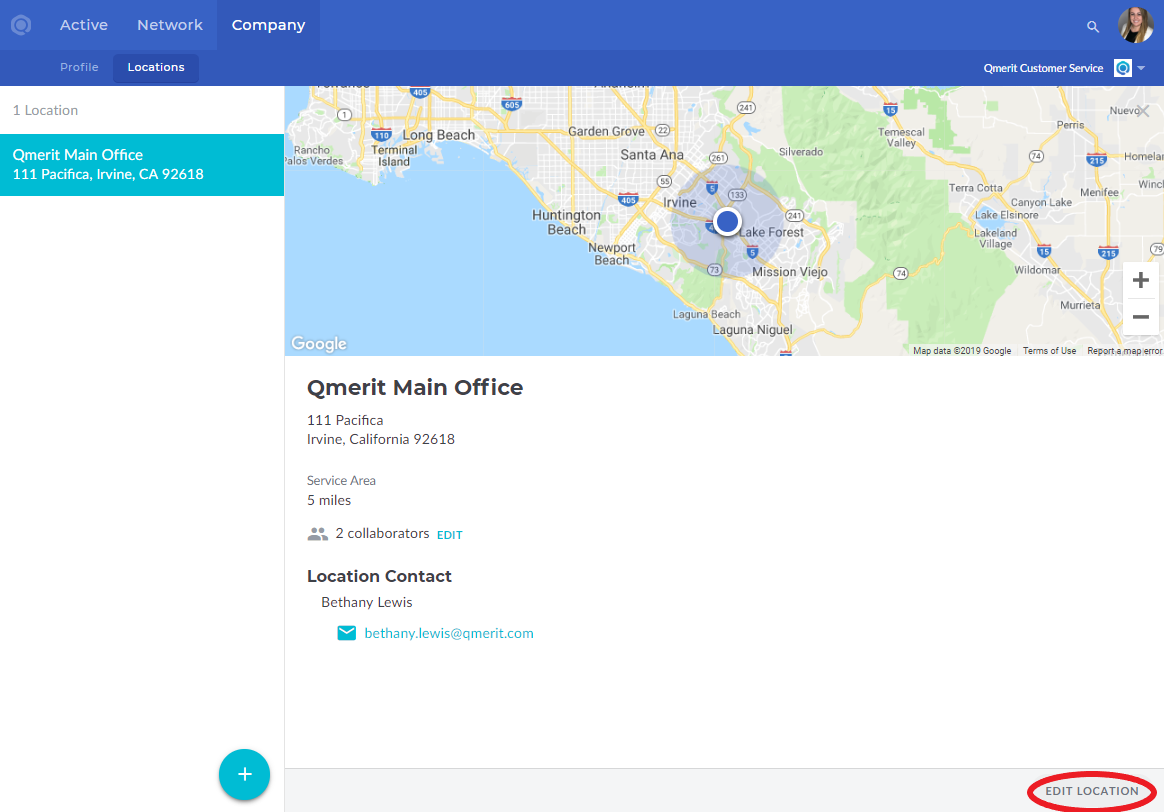
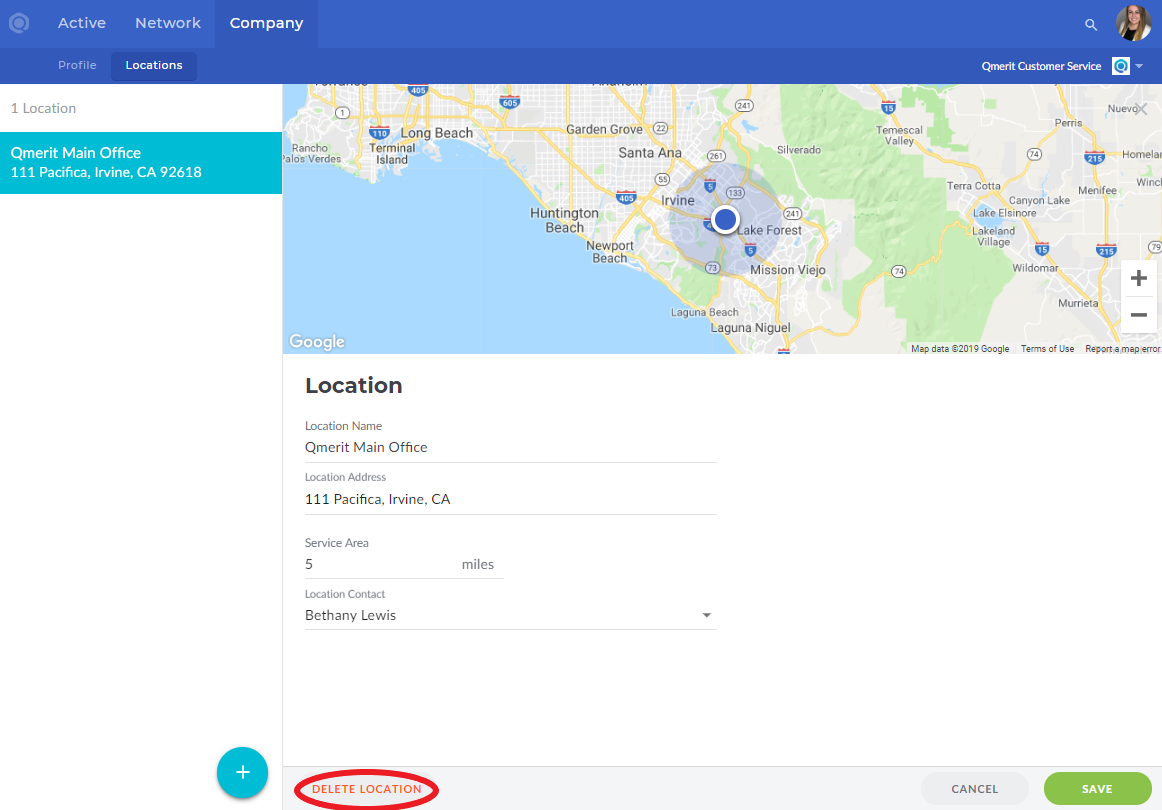
Adding, editing, or deleting locations is easy.
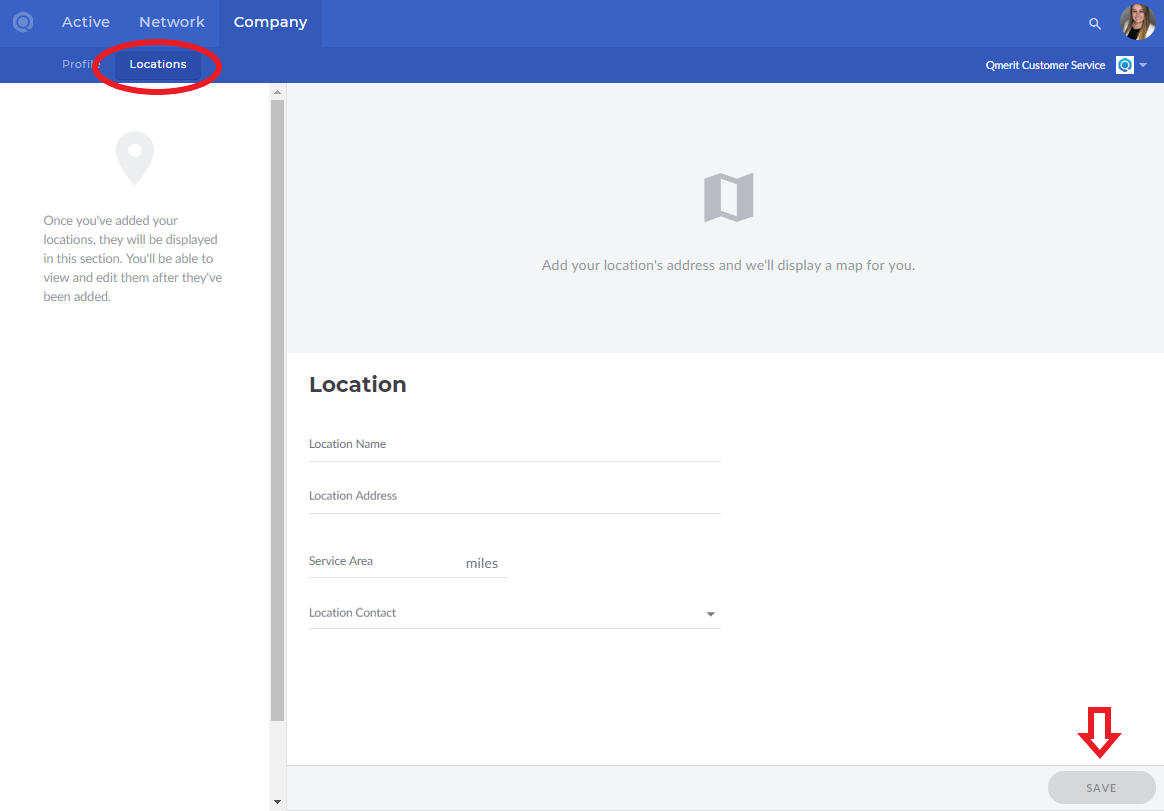
Navigate to your Company tab and then the Locations sub-tab.
The SAVE button will not be active and green until all information has been filled out. The Location Contact is the information that the Customers will receive for your company. After saving, you can add additional People (internal) as collaborators. These People will receive email notifications for new Bids, Activities, etc.
Use the EDIT LOCATION button in the bottom right to delete the location or change the Service Area, Location Contact, and more.